
Run every crew and job site from one place.
Modern management for the building trades — labor, punch lists, time tracking, and real-time project status in one app your whole team can actually use.
Not just tracking — knowing.
FieldForce turns everyday field activity into the numbers that actually run your business — and flags what needs your attention before it becomes a loss.
Crew Health
Project Health
Customer Experience
Equipment & Safety
Everything your field runs on, in one place.
Six tools your office and your crew share — built for how contractors actually work.
GPS time clock
Workers clock in and out of the jobsite, and every entry is timestamped.
Scope scheduling & punch lists
Assign scope items to workers with exact dates so you can plan projects out. The scope scheduler makes it easy to assign individual tasks across multiple projects.
Field quotations
Workers submit assessments from site. One tap converts a quote to a fully scoped project.
Project health
A live breakdown of how every project is looking — labor used, completion status, and many more useful metrics.
Daily worker reports
Workers document completed work on site with photos attached. Pull reports by jobsite so your PM sees everything going on — and document pre-job conditions too.
Secure worker portals
Each worker gets a secure PIN-protected link. No app download. No IT setup required.
The job's hard enough without the guesswork.
Most contractors aren't losing money on the work itself. They're losing it in the gaps — the stuff that lives on paper, in texts, and in someone's head.
No real labor management
Hours live on paper, texts, and memory. You find out about problems after payroll, not before.
Punch lists get lost
Items scribbled on a notepad or buried in a group chat slip through — and come back as callbacks.
You can't see the crew
Who clocked in, who's on which site, who's running late — you're calling around to find out.
Labor hours leak
Nobody's tracking idle time or padded hours, so the money walks off the site a little at a time.
See your whole crew, right on your phone.
Who's on site, who's at lunch, who came in at 7 and who came in at 9 — live, without a single phone call.
Know exactly who arrived when. No more guessing who showed up at 7.
Assign scope by worker and date. Crews see their week before they arrive.
Watch a job unfold — and catch the margin slipping.
Drag through a project and watch progress and labor move together. The moment labor gets ahead of the work, the margin alert lights up.
Home Addition · live project model
Average check-in time
Projects completed ahead of schedule
Proof the work got done.
At every clock-out, workers file a quick report — activity, completion, punch items, notes, and photos — tied automatically to the worker, project, and date.
clock-out
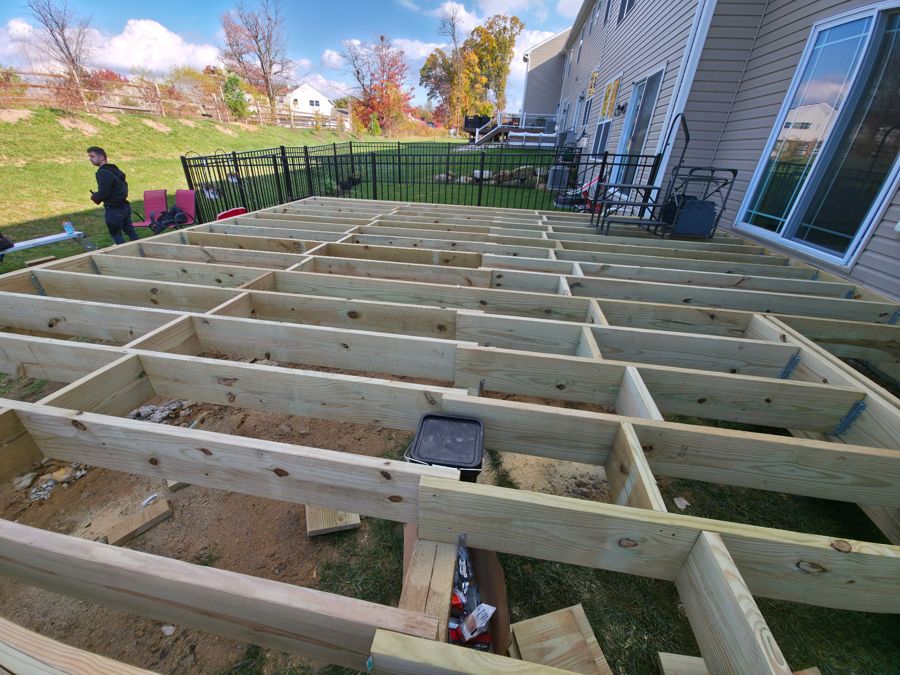 Deck framing · joists set
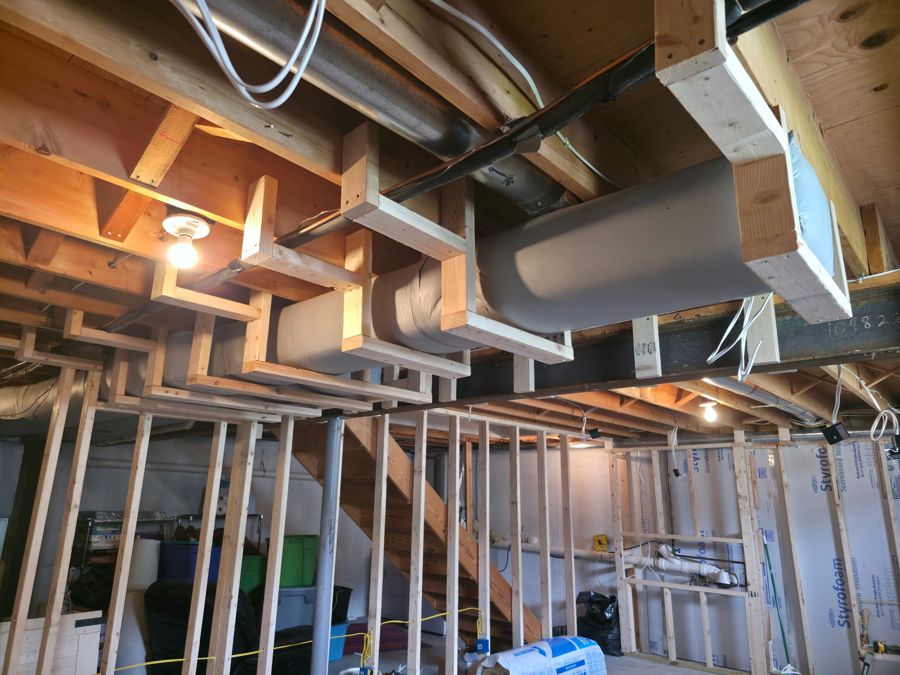 Soffit · needs blocking
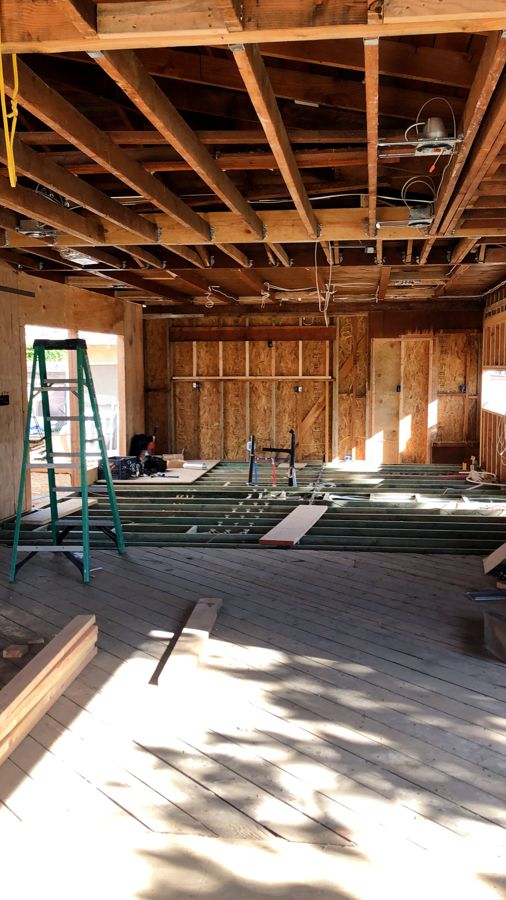 First-floor framing
clock-out
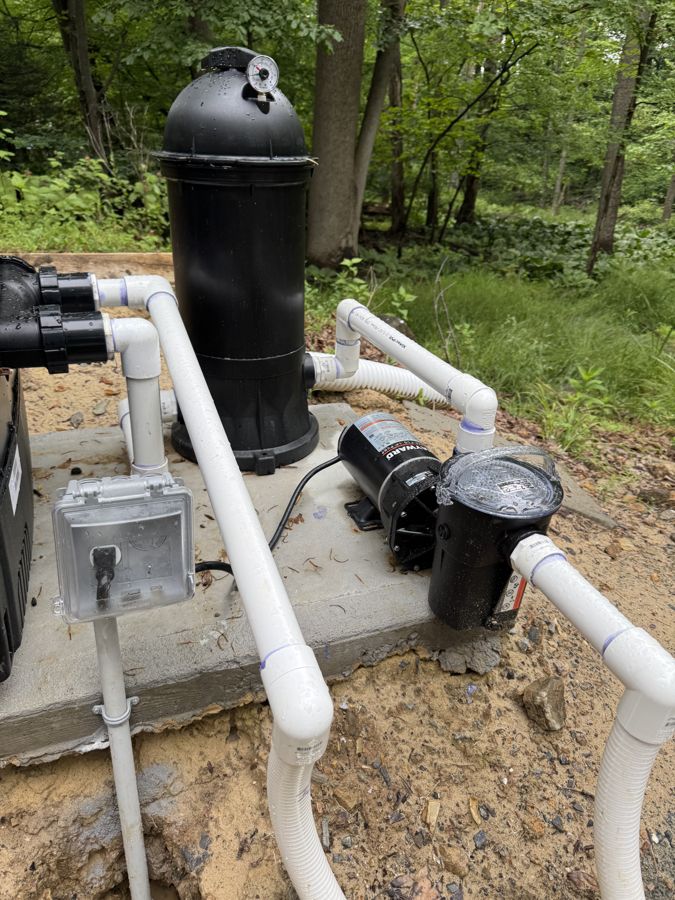 Pump & filter set · awaiting plumbing
Crews run tighter with FieldForce.
- More tasks finished on timeWork stays on schedule instead of drifting.
- Less labor lost to disorganizationFewer idle and padded hours quietly leaving the site.
- More productive time on siteCrews spend the day building, not chasing answers.
FieldForce gave us the jobsite visibility we'd been missing. Instead of chasing updates through texts and phone calls all day, our crews report progress, upload photos, flag material needs, and keep their schedules organized — all in one place. It's cut the confusion, made everyone more accountable, and kept our projects moving a whole lot smoother. Our gross margins are up across the board since we made the switch — and their tech support has been great every time we've reached out.
Your whole crew can use it — in their language.
Every screen your workers touch is available in English and Spanish, so nothing gets lost in translation on the way to the field.
Try it: use the EN / ES switch at the top of the page and watch this whole site change.
Live in days, not months
FieldForce is simple enough that a crew picks it up the same week. No long rollout, no thick manual, no consultant required.
Fast to deploy · easy to useRun it on your own domain
Already have a company website? We can put FieldForce on your own domain, so signing in feels like part of your brand to your team — seamless, no new address to remember.
Your brand · your domainStop chasing jobsite updates.
A plan pays for itself if FieldForce saves you a couple hours of admin a month, one missed material run, or one scheduling mix-up.
Founding Contractor Plan
For the first 10–20 companies — locked in while we build alongside your feedback.
Claim a founding spot- Up to 5 field users
- Job scheduling
- Daily reports & punch lists
- Photos & project notes
- Material & tool requests
- Crew activity visibility
- Basic project dashboard
- Direct support from the founder
- 1 admin · 2 field users
- Daily reports & photos
- Punch lists & material requests
- Job scheduling
- 2 admins · 8 field users
- Everything in Starter, plus
- Company performance & project health
- Project sequencing
- Quotations & estimating
- GPS tracking & time clock
- 3 admins · 15 field users
- Everything in Team, plus
- AI insights & recommended actions
- Labor forecasting & worker-blend recs
- Multi-crew view
- Advanced reporting
- Everything in Growth
- Larger teams & onboarding
- Custom setup & support
AI-powered insights, forecasting & recommendations are included on Growth and higher.
See FieldForce on your own jobs.
Tell us a little about your company and we'll set up a walkthrough on your schedule.